
Export MAC to Windows Outlook15.9 - Download
You'll be able to download in few seconds.
Publisher Description
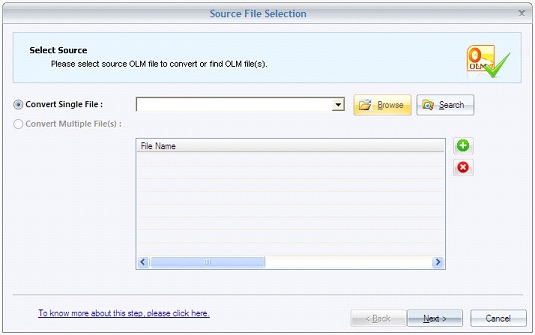
Export MAC to Windows Outlook without worrying about the integrity of email items because Kernel for OLM to PST is programmed with sophisticated algorithms for executing the marvelous and quick OLM to PST migration. The software actively moves all OLM items like folders, drafts, emails, sent items, appointments, calendars, contacts, etc. into desired saving alternatives such as PST, MBOX, RTF, HTML, IMAP, TXT, MHTML DBX, EML, MSG, etc. In addition to this, the software interface is outfitted with dynamic search functionality, which simplifies the process of email search as you can extract emails fulfilling the conditions like Received before (date), Received after (date), From, To, Subject, and Attachment.
Kernel for OLM to PST is the one-stop solution to initiate the trouble-free migration of Outlook for Mac email items to the popular web-based email applications like Yahoo, AOL, Hotmail, Gmail, Live Mail, Google Apps, Outlook, and iCloud. In addition, the software allows you to export MAC to Windows Outlook PST that can be accessed on MS Outlook 2016, 2013 (both 32 bit and 64 bit), 2010, 2007, 2003, 2002, 2000, 98, and 97 editions. This unique email migration solution is reinforced with the rich File Analysis Reports generation facility that tracks and renders the bar-graphical reports on Interaction between users, Total item types, and Mail flow density by date/senders, which determines the email activities of all users.
You can perform the Export MAC to Windows Outlook process on varied versions of Windows OS, which includes Windows 10, 8.1, 8, 7, Vista, XP, 2000, 98, NT, and 95. In order to perform the evaluation over software features, download the free trial version. The evaluation version allows you to execute the migration of only 25 email items of each OLM folder into the restricted file formats. If you want to save more, then purchase the full version. For more info, visit: www.mac-outlook-into-windows-outlook.convertolmpst.net
About Export MAC to Windows Outlook
This Email Clients program is available in English. It was last updated on 29 September, 2026. Export MAC to Windows Outlook is compatible with the following operating systems: Windows.
The company that develops Export MAC to Windows Outlook is MAC Outlook into Windows Outlook. The latest version released by its developer is 15.9.
The download we have available for Export MAC to Windows Outlook has a file size of 11.5 MB. Just click the green Download button above to start the downloading process. The program is listed on our website since 2015-12-23 and was downloaded 0 times. We have already checked if the download link is safe, however for your own protection we recommend that you scan the downloaded software with your antivirus. Your antivirus may detect the Export MAC to Windows Outlook as malware if the download link is broken.
How to install Export MAC to Windows Outlook on your Windows device:
- Click on the Download button on our website. This will start the download from the website of the developer.
- Once the Export MAC to Windows Outlook is downloaded click on it to start the setup process (assuming you are on a desktop computer).
- When the installation is finished you should be able to see and run the program.
Program Details
System requirements
Download information
Pricing
Version History
version 15.9
posted on 2015-12-23
Export MAC to Windows Outlook Software now supports to Windows 10 and MS Outlook 2013/16.
Disclaimer
External Download
We do not host Export MAC to Windows Outlook on our servers. We did not scan it for viruses, adware, spyware or other type of malware. This app is hosted by the software publisher and passed their terms and conditions to be listed there. We recommend caution when installing it.
The external download link for Export MAC to Windows Outlook is provided to you by apps112.com without any warranties, representations or guarantees of any kind, so access it at your own risk.
If you have questions regarding this particular app contact the publisher directly. For questions about the functionalities of apps112.com contact us.
